Fresh USA provides a hospital asset tracking system for finding tagged medical equipment, counting assets and monitoring protected items at selected exits.
Hospital Asset Tracking for Faster Equipment Search, Inventory and Exit Protection
Start with an autonomous exit alarm or choose handheld search and inventory. Add Windows software, event records and additional readers as your requirements grow.
Help nursing teams locate nearby equipment, give biomedical staff a practical inventory tool and alert security when protected assets enter a monitored doorway zone. Match the configuration to the task, from one equipment room to multiple departments.
No monthly software fees. Battery-free passive tags. Modular expansion without replacing compatible original equipment.
This solution provides handheld search and reader-zone detection; it does not provide continuous room-by-room positioning on a live hospital map.
Choose the Hospital Asset Tracking System Your Facility Needs
Choose the starting point that addresses your immediate operational problem. The same platform can expand to support equipment records, additional monitored locations and inventory workflows.
1. Stand-Alone Equipment Exit Protection
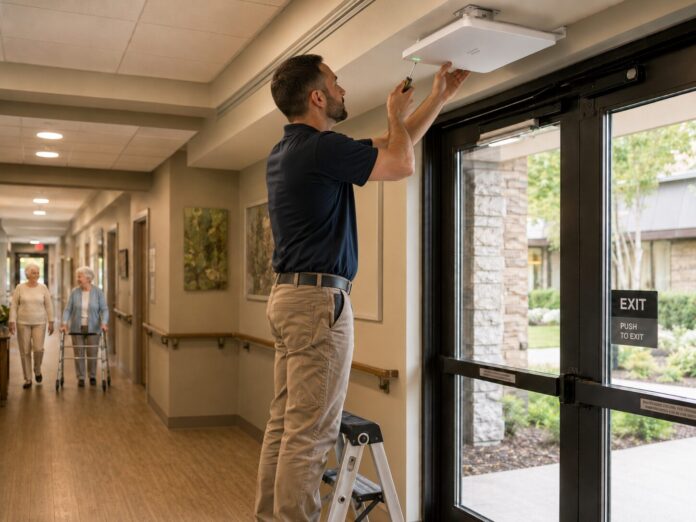
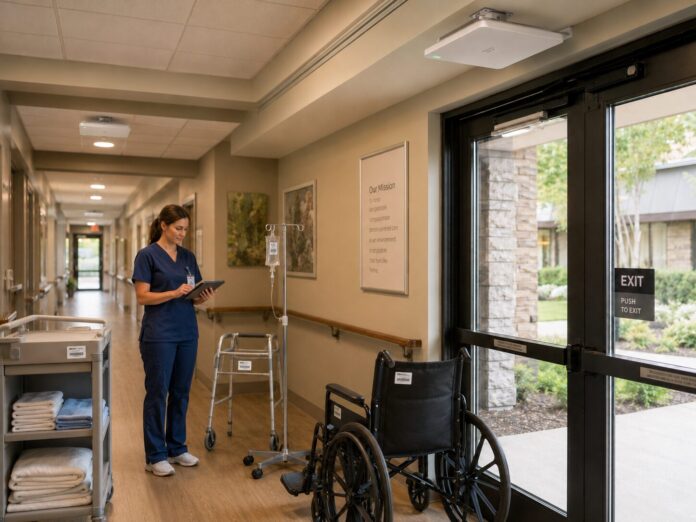
A fixed reader, compatible tags and a local warning light or siren detect protected equipment in a configured exit zone. The autonomous configuration works without a PC or tracking software. It is suited to a facility that primarily needs an alert at a selected doorway.
2. Optional Software, Records and Notifications
Add compatible Windows software for asset registration, inventory records and searchable reader events. Additional readers extend coverage to selected exits or transition points. An optional wireless alarm module can notify designated staff; cellular service charges may apply when that connection is used.
3. Handheld Equipment Search and Inventory
Explore Mobile Inventory Software
Try the interactive Android mobile inventory simulation to explore the app interface and inventory workflow before choosing your equipment.
Add a handheld reader to find selected tagged equipment in the area being searched and count multiple compatible tags during inventory. Handheld search and inventory can also be the starting configuration when finding and counting assets is your priority.
Your quote identifies the required readers, tags, software licenses and installation scope. Optional functions are quoted separately.
Find Medical Equipment Without Checking Every Item Individually
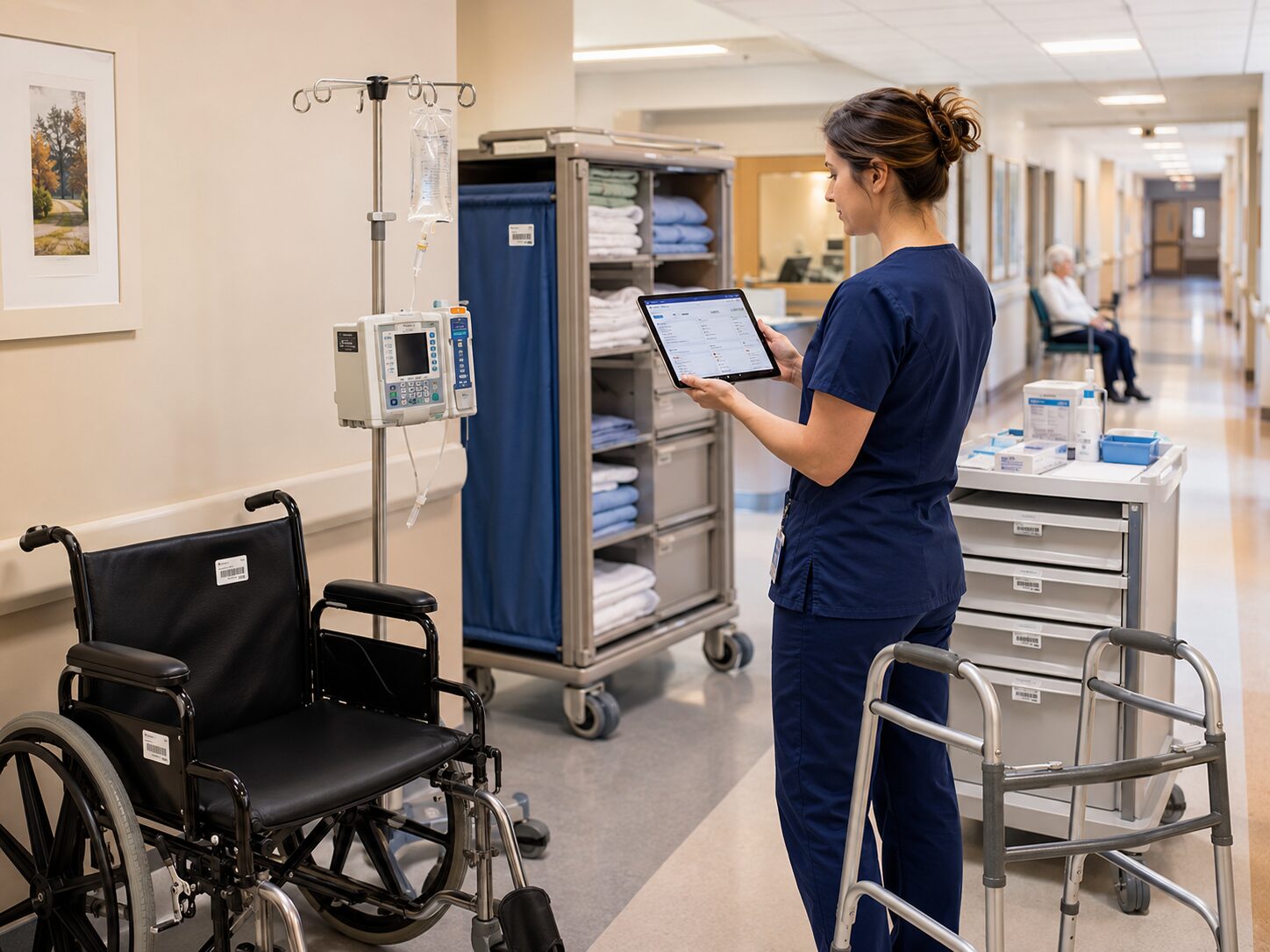
A cart left in another storage area or a portable device returned to the wrong department can appear to be missing. Staff may spend time walking corridors and calling colleagues before discovering equipment the facility already owns.
A medical equipment tracking workflow gives employees a practical way to search for a selected tagged asset. Use the equipment record to identify the item, take a handheld reader to the likely area and narrow the search as the reader detects its tag.
- Nursing and rehabilitation teams: search nearby equipment storage and staging areas.
- Biomedical staff: locate tagged devices selected for inspection or servicing.
- Facilities teams: find carts, tools and mobile workstations.
- Security staff: respond to an alert at a configured equipment exit zone.
A recorded reader event identifies a detection point and time, not an asset’s guaranteed current location. Equipment availability, cleaning status and service readiness must be managed through the facility’s procedures.
How Hospital Asset Tracking Works
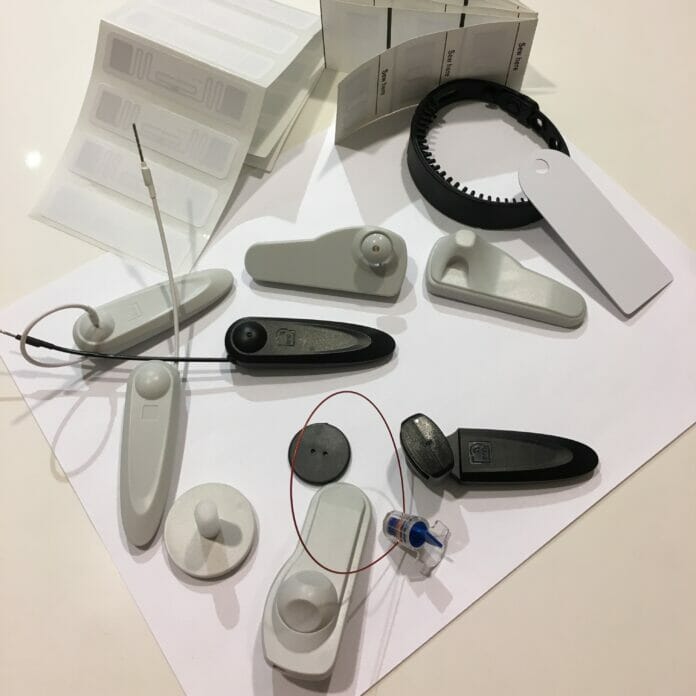
The workflow connects each physical asset to a unique identifier and the readers selected for your facility.
- Select and test the tag. Match it to the equipment surface, mounting space and cleaning requirements.
- Register the asset. Associate its identifier with an equipment record when software is included, or enroll it for the autonomous protection configuration.
- Find and count equipment. Use a handheld reader for nearby search and inventory without scanning every barcode individually.
- Monitor defined zones. Fixed readers detect compatible tags within configured doorway or transition areas.
- Act on the detection. Activate configured alarms and, with software, retain reader events for review.
Passive RFID technology powers each tag from the reader field. Tags do not need batteries or individual cellular subscriptions. Detection performance depends on the asset, tag placement, surroundings and reader configuration.
Medical Equipment and Hospital Assets You Can Track
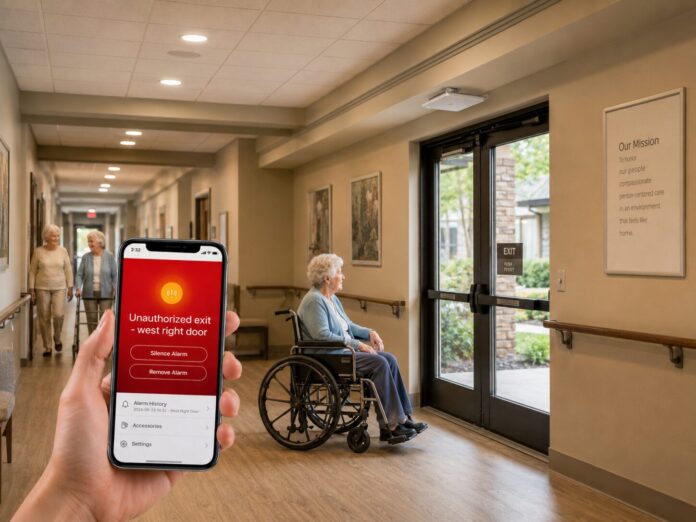
A healthcare asset tracking project can cover mobile medical equipment and facility-owned assets. Begin with items that are frequently misplaced, costly to replace or difficult to count.
- Wheelchairs, transport chairs, walkers and rollators
- Portable monitoring and rehabilitation equipment
- Compatible movable diagnostic devices
- Medical carts, storage carts and transport equipment
- Mobile workstations, laptops and tablets
- Maintenance tools and cleaning equipment
Clinical equipment requires an individual suitability review. Tag placement must not obstruct controls, labels, ventilation or required servicing. Confirm mounting and cleaning compatibility with the equipment requirements before rollout.
Handheld Asset Search: Locate a Selected Tagged Item
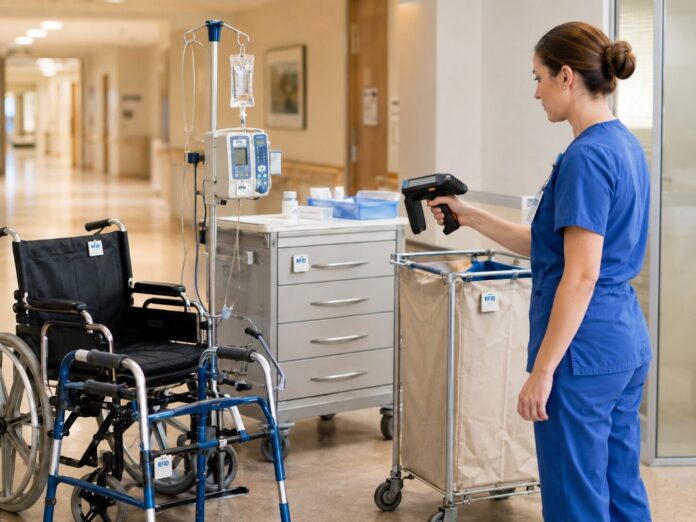
Handheld search is useful when staff know the likely department or storage area but cannot identify the exact item among other equipment. Select the target tag and search the area for a compatible response.
The reader helps narrow the search without requiring a clear view of every label. Metal, liquids, obstructions and tag orientation affect performance, so the actual equipment and storage arrangement should be tested.
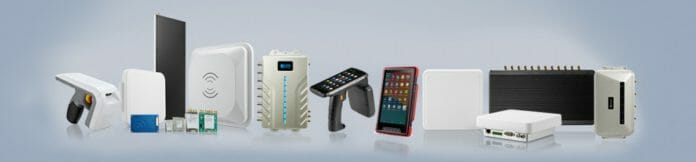
Fresh USA’s F880 handheld is an option for inventory and asset search. Ask us to confirm the application, supported workflow and relationship to your desktop records before selecting a configuration.
Hospital Inventory Tracking Across Departments and Storage Areas

Manual barcode inventory requires staff to locate and scan labels one at a time. A handheld reader can detect multiple compatible tags during an inventory walk, helping teams count equipment stored close together or with labels that are difficult to reach.
A medical equipment inventory system supports a repeatable process:
- Define the department, storage room or equipment group being counted.
- Scan the area using the agreed inventory procedure.
- Review detected assets against the expected equipment records.
- Investigate missing or unexpectedly located items.
- Update records and repeat the process on a consistent schedule.
Inventory confirms what was detected during that count. It does not continuously verify where every item moves afterward. Reliable results depend on complete asset registration, appropriate tag placement and a tested scanning procedure.
Monitor Hospital Exits and Alert Staff to Equipment Movement
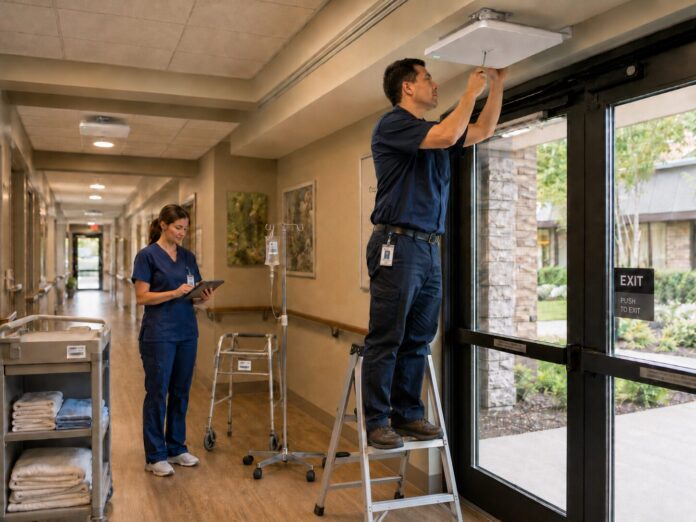
Equipment may leave during patient discharge, contractor work or an undocumented transfer. Hospital equipment tracking at selected exits adds an opportunity for staff to respond while the protected item is near a monitored doorway.
- Discharge areas and main entrances
- Rehabilitation department exits
- Parking connections and service entrances
- Equipment storage access points
- Senior care reception and exit areas
Local Warning Light or Siren
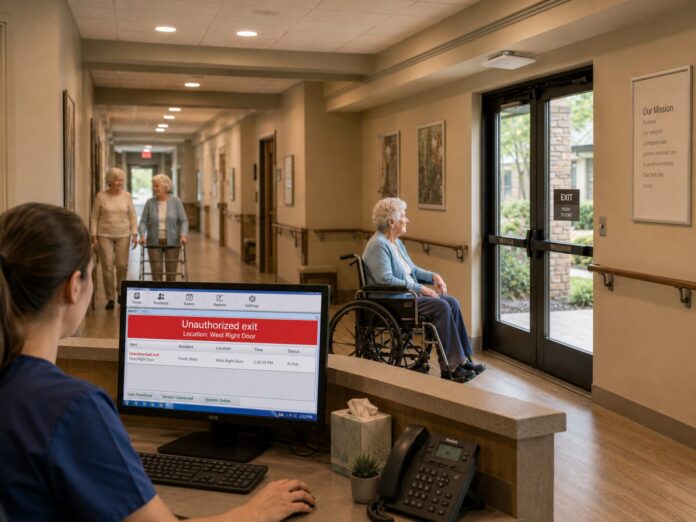
A stand-alone reader can trigger a compatible alarm when an enrolled protected tag enters its detection field. A doorway detection alone does not establish direction of travel or authorization; those requirements must be defined and supported by the selected configuration.
Optional Staff Notifications and Event History
Add a compatible notification module for remote alerts and software for reader event records. Confirm network availability, notification methods and the staff response procedure during planning.
This is equipment detection and notification, not a physical restraint system. Define how authorized equipment transfers will be handled and test nearby traffic to reduce unwanted alerts.
Hospital Asset Tracking Software: Review the Actual Application
Add compatible Windows software when your facility needs equipment records and searchable events beyond a local alarm. A hospital asset tracking deployment can combine registered assets, reader detections and inventory records in the agreed software configuration.
- Associate unique tag identifiers with equipment names and internal IDs.
- Organize equipment records by supported categories and location fields.
- Review recorded detections from connected readers.
- Maintain inventory records and review supported reports.
- Expand to additional licensed readers as monitored coverage grows.
Request a demo version to see the actual software before deciding. Review the interface, equipment registration, event history and reporting against your team’s requirements. Tell us which workflow you want to evaluate so we can confirm the relevant configuration.
Software is available with a lifetime license and no monthly software fees. Your quote will identify included and additional reader licenses. Any connection to existing hospital systems requires a separate technical review; integration is not assumed to be included.
Standard asset records do not require patient information. Your IT team should review workstation or server requirements, network access, user access and backup responsibilities for the selected deployment.
Passive and Anti-Metal Tags for Medical Equipment
Passive tags provide battery-free identification for equipment search, counting and fixed-zone detection. They do not independently transmit their location.
Metal frames and housings require appropriate tag selection. Anti-metal tags are available for compatible wheelchairs, carts, tools and devices. An ordinary adhesive tag mounted directly on metal may not read reliably.
Test the proposed tag, mounting position and attachment method with the actual equipment. Include normal cleaning products, storage arrangements, nearby devices and realistic movement through each monitored zone in the acceptance checks.
Is This the Right Alternative to Full-Building RTLS?
The right hospital asset tracking system depends on what staff need to know: the identity of an item, whether it was counted, whether it passed a monitored point or its continuously estimated location.
Choose Handheld Search and Inventory When
You need to find selected tagged assets in the area being searched and perform equipment counts without individually scanning every barcode.
Choose Fixed-Zone Monitoring When
You need detection and configured alerts at selected doorways, with optional reader event records. Coverage is limited to the reader zones included in the project.
Specify Full-Building RTLS When
Your requirement is continuous room-level positioning, a live floor map or automated location-based utilization analysis. Those capabilities require a separately designed locating platform and are not included in the standard Fresh USA configuration described here.
Start with your operational requirement, not a technology label. Fresh USA can evaluate whether focused search, inventory and exit protection meet the scope of your project.
Hospital Asset Tracking Cost and Pilot Planning
Project cost depends on asset quantity, tag type, handheld readers, monitored doorways, software licenses and installation requirements. A single autonomous exit alarm and a multi-department software deployment have different scopes.
Request an itemized quote that separates:
- Required readers, antennas, tags and local alarms
- Optional software and additional reader licenses
- Handheld search and inventory equipment
- Optional notification hardware and connectivity
- Shipping, installation, configuration and any custom integration
No monthly software fees does not mean every operating expense is eliminated. Cellular service, replacement tags, optional services and future expansion may add costs.
Validate One Workflow Before Expanding
Begin with one department, asset group or exit. Agree on acceptance checks: tag detection on actual equipment, search time, inventory count accuracy, unwanted alarm frequency and event-record completeness where software is included. Compare results with your existing process before approving wider deployment.
Additional compatible tags, readers, software functions and handheld devices can extend the system without replacing the compatible original equipment.
Installation, Configuration and Technical Support
Fresh USA supplies equipment and software with technical documentation and remote configuration support. Physical installation can be completed by a qualified local low-voltage, security, IT or electrical contractor. Confirm any requested on-site services in the quote.
To prepare your recommendation, send the facility location, asset types and approximate quantity, the workflow you want to improve, and whether you need handheld search, inventory, exit alerts or software records. For doorway monitoring, include photographs, opening width, ceiling height and available power and network connections.
During commissioning, verify registration, tag placement, detection zones, alarm responses and the agreed software workflow. Assign responsibility for authorized transfers, inventory routines and investigation of alerts.
For broader needs, explore Healthcare and Senior Care Solutions. Patient and resident wander management is a separate application and requires its own requirements review.
Hospital Asset Tracking FAQs
What is hospital asset tracking?
It is the process of identifying and monitoring facility-owned equipment using asset records and identification or locating technology. Fresh USA focuses on handheld equipment search, inventory and selected reader-zone monitoring with optional software records.
Can we start without a PC or software?
Yes. An autonomous exit-protection configuration can detect enrolled protected tags and activate a local alarm without a PC. Centralized equipment records and searchable event history require the appropriate software configuration.
Can staff see every asset on a live floor map?
No. The standard solution described here provides nearby handheld search and detection at configured reader zones. Continuous room-by-room positioning is a separate RTLS requirement.
Does the system require monthly software payments?
No. Fresh USA offers lifetime software licensing. Optional cellular connectivity, additional equipment, custom work and services may carry separate charges.
Can we try the software before buying?
Yes. Request a demo version to review the actual interface and supported workflows. Hardware performance should be evaluated separately with the proposed tags, equipment and installation conditions.
Can the system track equipment that goes outside?
A configured exit reader can detect a compatible tag within its field. Passive tags do not provide GPS tracking after the asset leaves reader coverage.
Will it connect to our existing hospital software?
Integration is project-specific. Provide the system name, available interfaces, required data fields and synchronization workflow for technical review and a separate scope if needed.
Request Your Hospital Asset Tracking Quote or Software Demo
Tell us what your team needs to find, count or protect. Fresh USA will recommend a starting configuration, identify optional expansion and prepare an itemized proposal for your facility.
Start with the problem that costs your team the most time. Validate the solution in one area, then expand using compatible equipment.
Request a Hospital Asset Tracking Quote
order@fresh222.com | Call (872) 236-2222