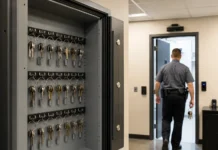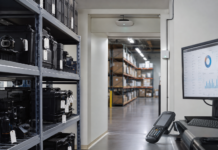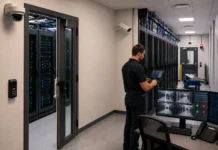
Fresh USA IT asset tracking software helps data center and IT teams count physical equipment, locate selected assets, monitor storage and operating zones, and record authorized or unauthorized equipment movement. Connect servers, network devices, drives and spare hardware to inventory records using identification tags, handheld terminals and fixed readers.
Use the IT asset tracking software for scheduled mobile inventory, fixed-reader zone monitoring, equipment search, checkout and return, and controlled-exit detection. The Windows application and Microsoft SQL Server database bring asset records, inventory activity, locations, transactions and security events into one configured system.
Know what equipment is present, find the item you need, and review what happened when it moved.
Windows software. Lifetime license from $299 for one computer and one reader connection. No mandatory monthly software fee. Readers, tags and custom integration are priced separately.
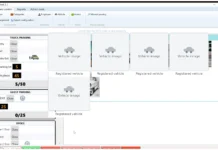
Explore the actual interface before choosing your system. A demo version is available on request so you can see how the software works and evaluate your equipment tracking workflow.
Request an IT Asset Tracking Quote
IT Asset Tracking Software for Data Centers and Server Rooms
A server may be powered off, disconnected, stored as a spare or awaiting repair and still need to be accounted for. Fresh USA IT asset tracking software uses RFID identification tags to detect physical equipment within the reader’s coverage without relying on the equipment’s network connection.
Fresh USA focuses on physical IT asset tracking: asset identification, inventory verification, monitored locations, controlled removal and event history. For teams evaluating IT inventory management software, the system adds RFID-based physical detection to inventory records and can complement an existing IT management platform through project-specific integration.
- 📋 Asset inventory: Associate tagged equipment with records and compare physical inventory with expected equipment.
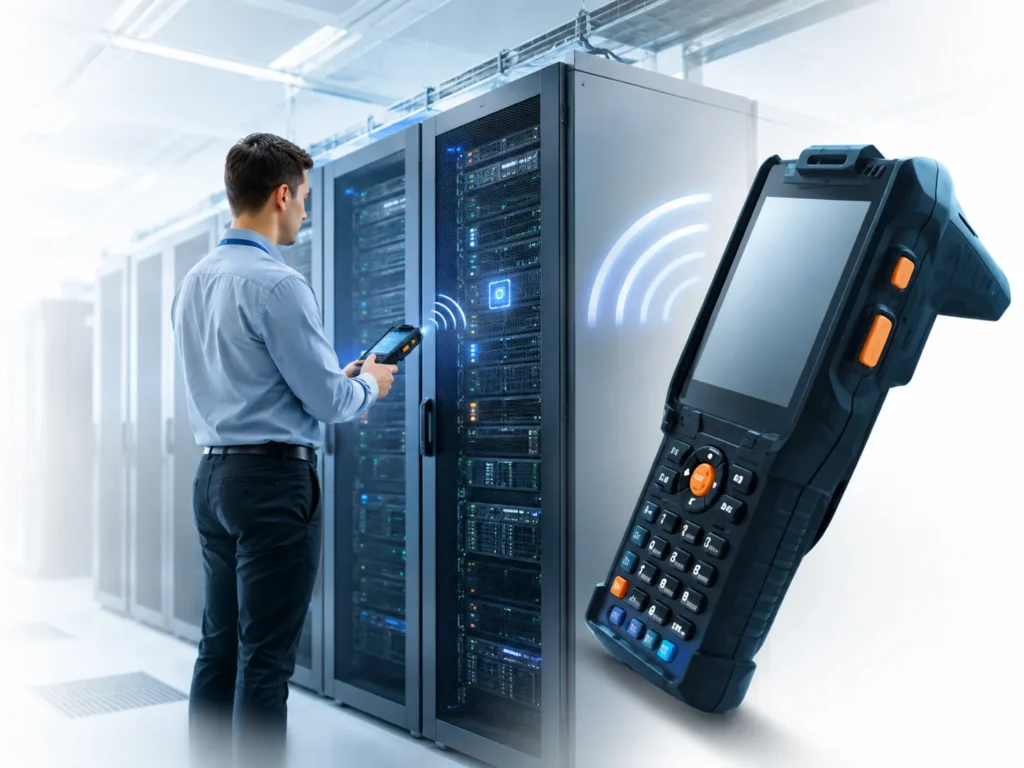
- 🔍 Item search: Select a tagged asset and use an F-880 handheld terminal to help locate it.
- 📡 Zone visibility: Monitor asset presence in configured server rooms, storage areas, shelves or cabinets.
- 🔄 Equipment transactions: Record receiving, removal and return activity according to the configured workflow.
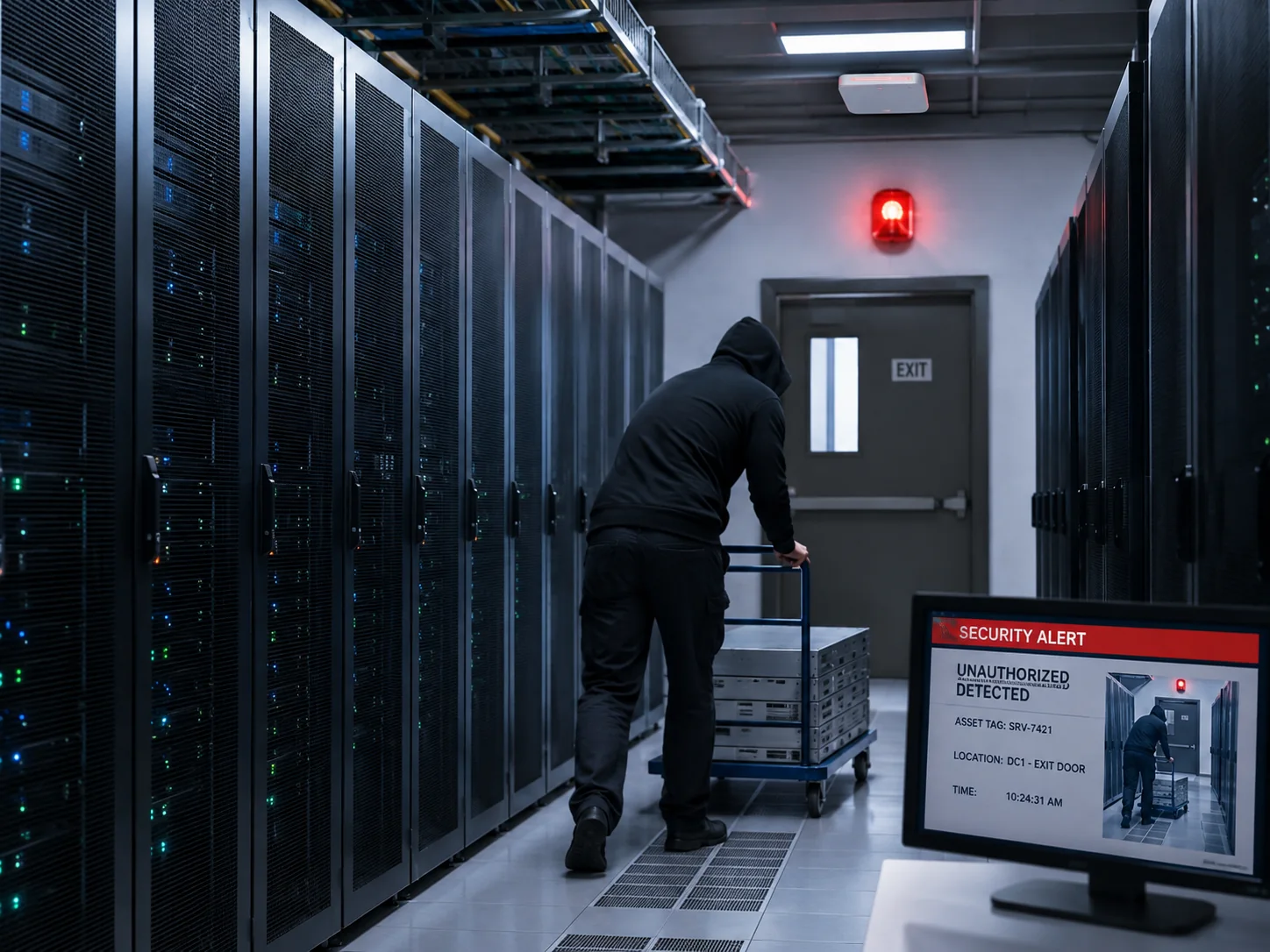
- 🚨 Exception handling: Detect unauthorized disappearance, monitored exit events and reader communication loss.
- 🗂️ Event history: Store time-stamped transactions and monitoring events in Microsoft SQL Server.
IT Asset Tracking Software for Inventory Records, Locations and Movement History
Use the IT asset tracking software to give inventory managers, technicians and security operators a shared record of equipment and its activity. Review inventory balances, detected locations, checkout and return activity, and movement history for the areas included in your project.
| Operational question | Relevant information | How it is collected |
|---|---|---|
| What equipment should be here? | Asset records and the expected equipment list for the selected inventory or zone. | Asset registration and configured inventory records. |
| What equipment was detected? | Detected assets and discrepancies against the expected inventory. | Handheld inventory or compatible fixed-reader detection. |
| Where was this item detected? | The configured reader zone or monitored location associated with the detection. | Fixed readers assigned to named monitoring areas. |
| Was removal approved? | Authorization and removal events, with the available user, asset, location and time information. | Configured approval workflow and physical detection. |
| Is monitoring operational? | Reader communication status and recorded offline events. | Software supervision of connected readers. |
Location means a configured detection zone. Room monitoring does not automatically establish an exact rack position or live coordinate. A handheld scan records an inventory observation; continuous presence monitoring requires fixed readers covering the relevant zone.
IT Asset Tracking for Servers, Network Equipment and Spare Components
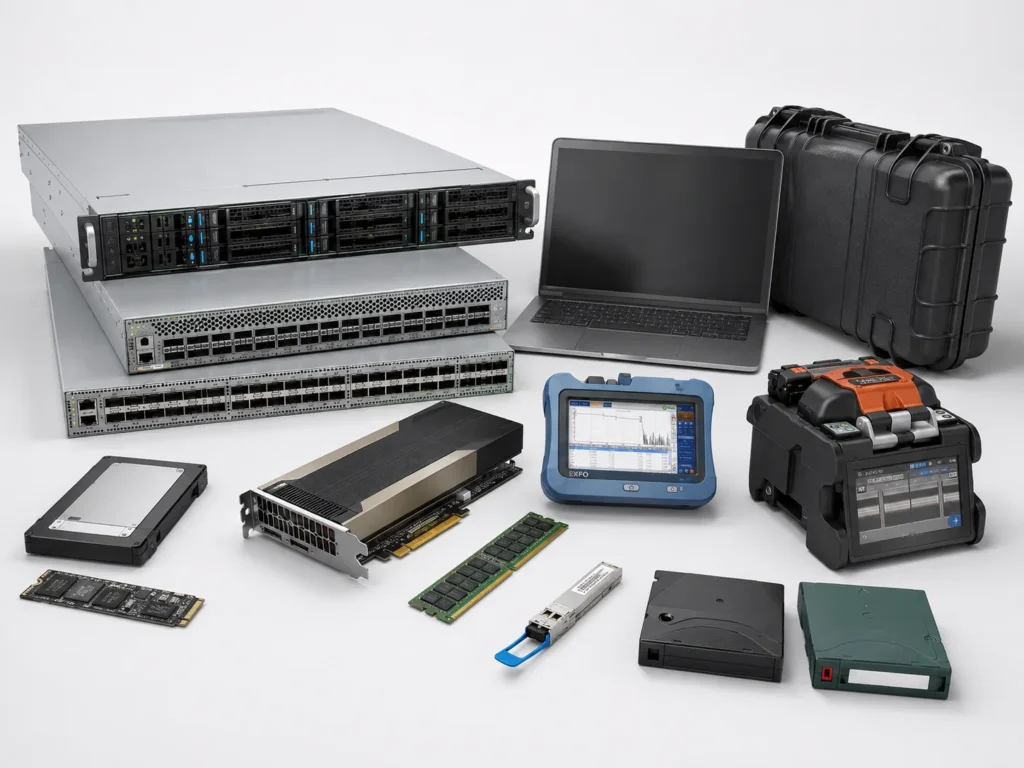
Use IT asset tracking to account for rack servers, AI and GPU servers, switches, routers, firewalls, storage appliances, laptops, test equipment and equipment cases. Suitable tags can also identify removable drives, backup media and spare components.
Use named areas such as Data Hall A, Spare Hardware Storage, Repair Area and Decommissioned Hardware Zone to connect physical inventory to the way your team operates.
Tag selection and placement are evaluated for the actual equipment. Small components, metal housings and dense racks require appropriate tags and a verified reading arrangement.
How IT Asset Tracking Software Works: Receiving to Return
- Register: Add incoming equipment through the receiving workflow and associate its record with a suitable identification tag.
- Place: Move the item into its assigned operating or storage area. Fixed readers detect its presence where continuous monitoring is configured.
- Verify: Perform a handheld inventory, compare detected equipment with expected records, and investigate discrepancies.
- Find: Select a particular asset in the handheld application and follow its proximity indication.
- Authorize: Approve protected equipment removal using the configured workflow before the physical action occurs.
- Record: Store the transaction or exception event, including the available asset, user, reader, location and time details.
- Return: Receive returned equipment back into inventory, update its location and restore the required protection.
Example workflow: A tagged spare server is held in a monitored storage zone. A technician locates it for maintenance, an authorized user approves removal, and the approved event is recorded. On return, the server is received back into inventory. An unapproved disappearance triggers the response configured for that zone.
IT Inventory Tracking Software for Audits and Equipment Search
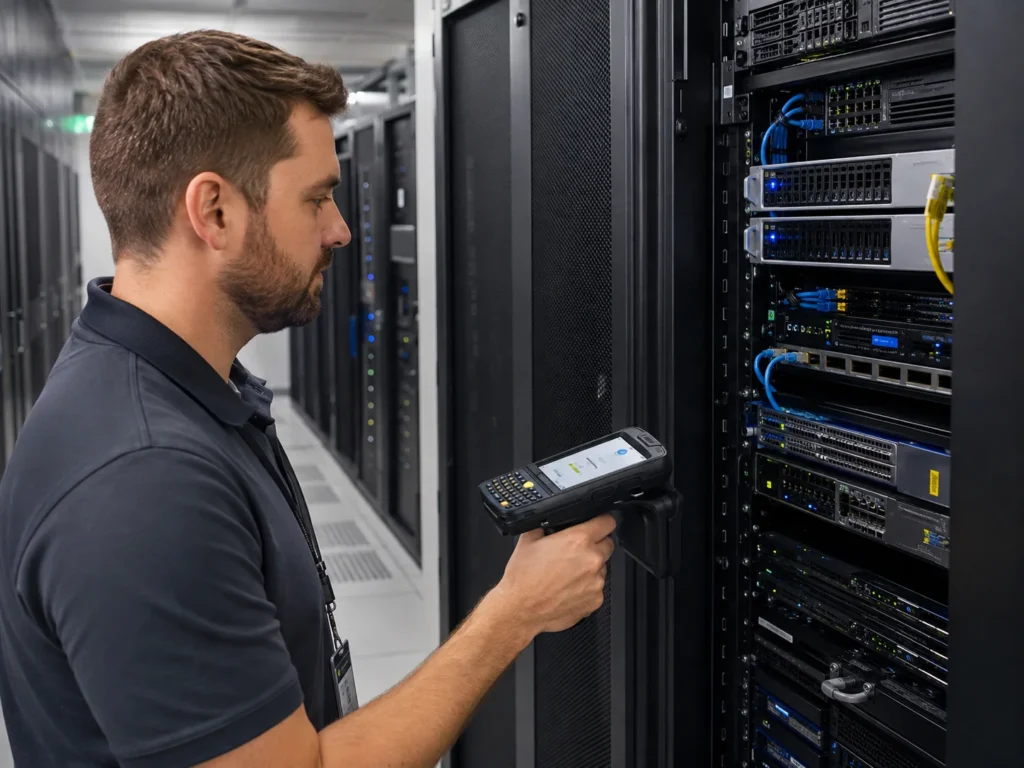
The F-880 handheld inventory terminal supports mobile inventory counts and the search for a selected tagged item. An operator scans a server room or storage area and compares the detected equipment with the expected inventory.
This IT inventory tracking software workflow helps teams investigate missing, unexpected or misplaced items without individually reading every visible equipment label. Actual read performance depends on tag placement, equipment density and the scan procedure.
For item search, the operator selects the asset in the mobile application and follows an audible proximity indication. The signal changes as the terminal approaches the tag. Reading power can be adjusted for the working area.
View Handheld Inventory Reader
Real-Time IT Asset Tracking Software by Room and Zone
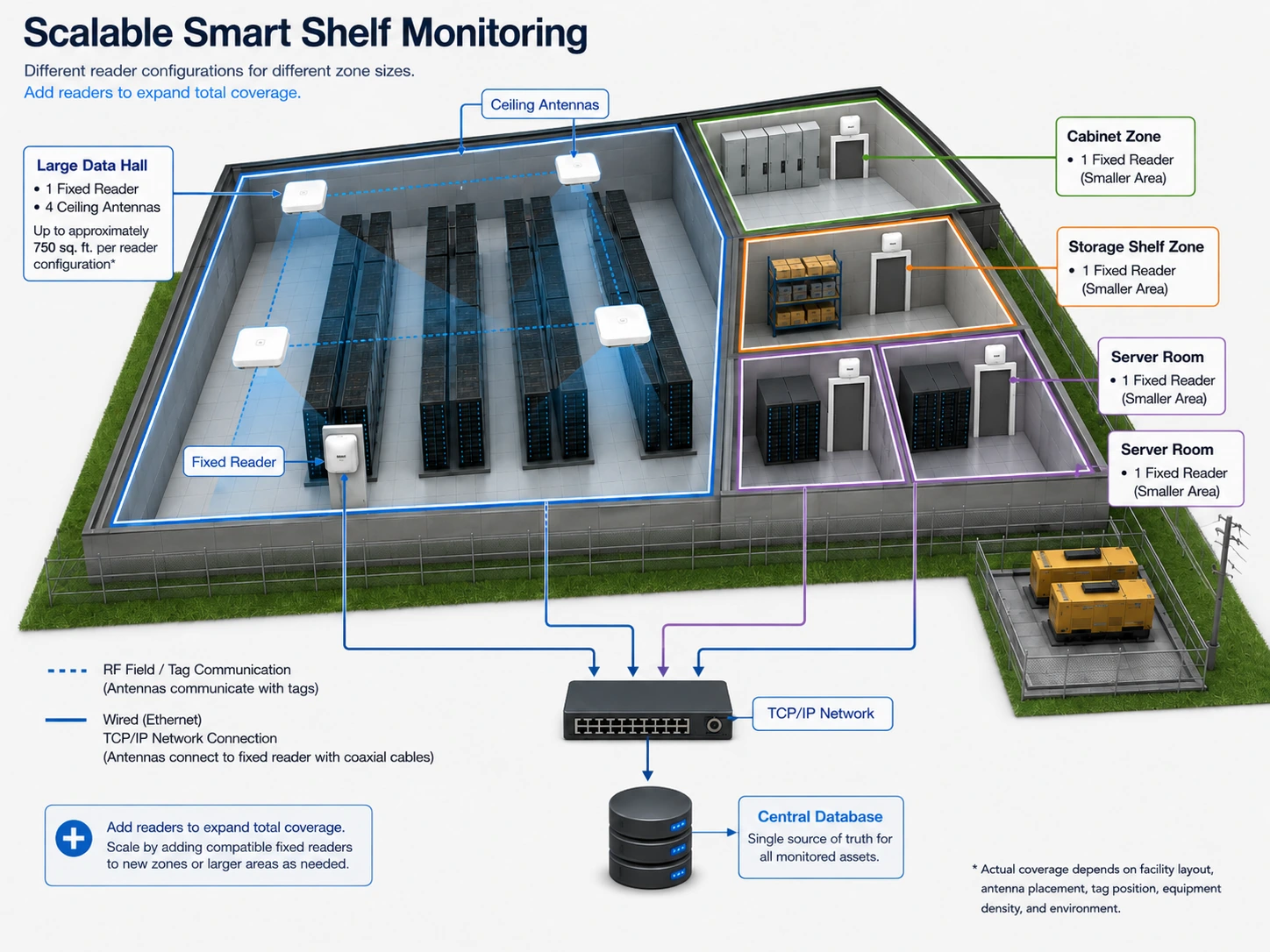
Fixed readers in Smart Shelf mode monitor whether tagged equipment is present in a defined area. The IT asset tracking software records appearances and disappearances so staff can investigate changes between scheduled inventory audits and maintain more current physical asset records.
Each configured zone can have its own name, equipment list, operating mode, asset status and event history. Localized monitoring may use an F-950, while an F-6950 with multiple antennas can serve larger or more complex areas.
Expand Coverage Around Your Rack Layout
Add compatible TCP/IP readers and antenna groups for additional rooms, cabinets and storage zones while retaining the software and database architecture. Existing compatible equipment can remain part of the expanded system.
Coverage is designed around rack geometry, metal shielding, tag orientation and the detection boundary required. As a planning example, an F-6950 with four circularly polarized antennas may cover approximately 750 sq. ft., depending on the site. Final coverage is verified for the installation; additional readers expand the monitored area.
IT Inventory Management Software for Checkout, Return and Authorized Removal
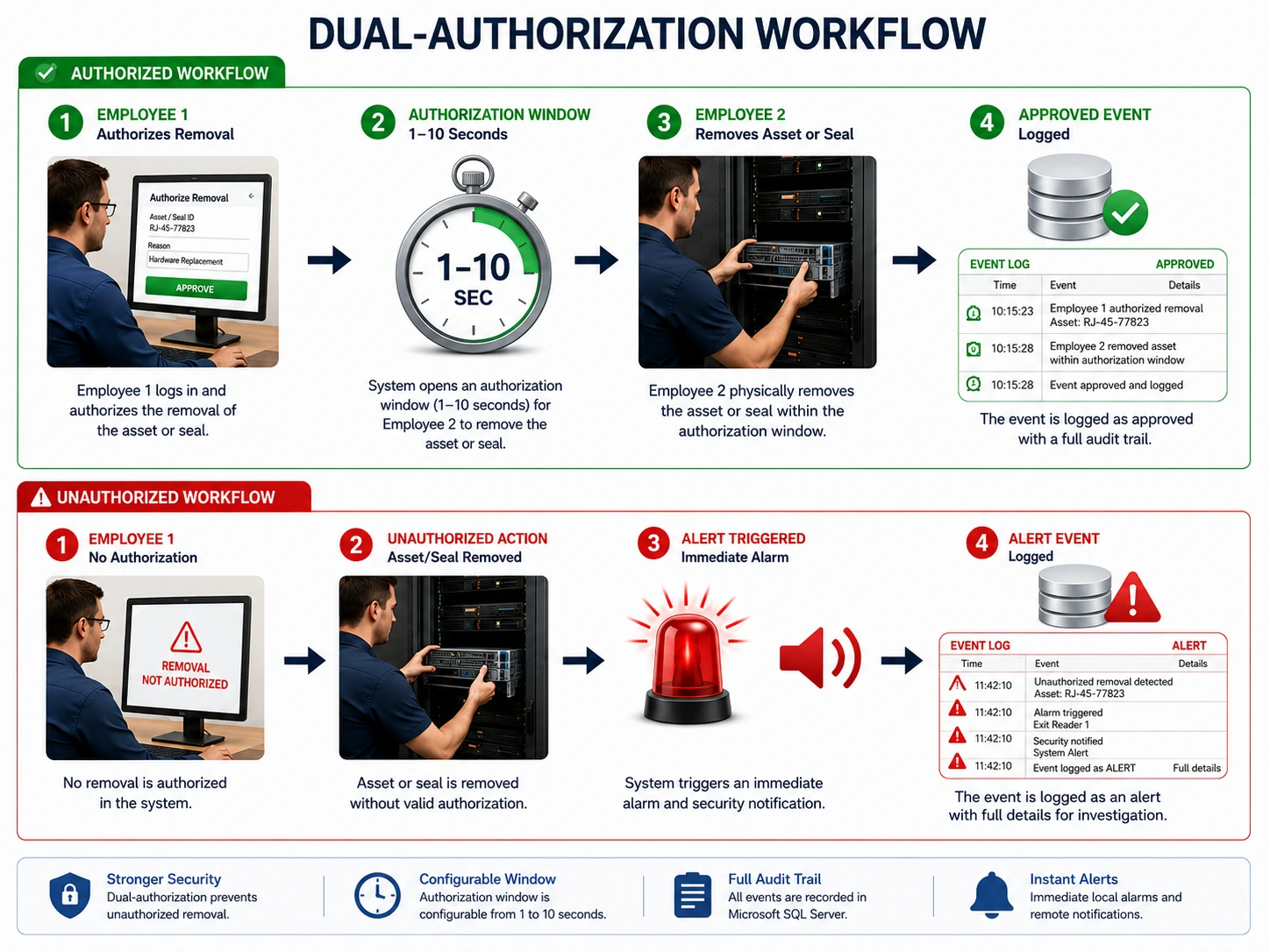
For routine issue and return, the IT inventory management software records a checkout document and tag scan, updates the issued equipment record and temporarily removes the item from active anti-theft protection. Scanning the returned item reconciles the transaction, updates the inventory balance and restores protection. The same IT asset tracking software keeps the physical asset record connected to the configured issue, return and protection workflow.
For sensitive assets and monitored seals, Fresh USA also supports a configured two-person removal procedure:
- An authorized user selects the protected asset or seal and approves the action in software.
- The system opens a configurable authorization window of 1–10 seconds.
- A second employee removes the asset or breaks the monitored seal within that window.
- The system records the approved action or creates an unauthorized-removal or tamper event when the action falls outside the approved conditions.
User accounts and configurable permissions restrict administrative settings, security parameters and access to protected event records. The authorization window and physical procedure are selected for the intended operation.
On-Metal Tags and Equipment Tamper Monitoring
Concealed Equipment Identification
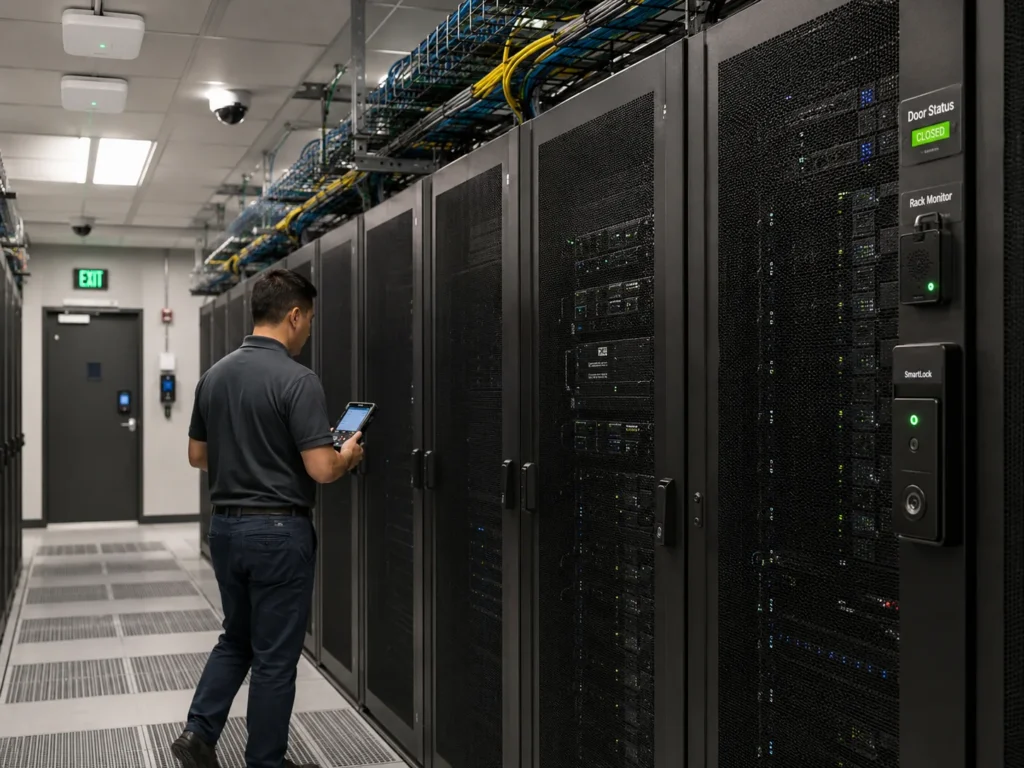
Compact ceramic on-metal tags can be installed discreetly on compatible equipment, including selected interior panel positions where the installed tag remains readable. Placement inside a metal enclosure requires verification with the enclosure closed and the equipment in its operating arrangement.
Rack Sensors and Monitored Seals
Optional wireless contact sensors can monitor selected rack doors, panels and equipment cabinets. Destructible security seals can support tamper monitoring on suitable access panels, compartments and storage containers.
When a monitored seal becomes unreadable or disappears without authorization, the configured system can raise an alarm and record the event for investigation. Sensor and seal events extend asset monitoring to selected equipment access points.
Exit Alerts and Reader Connection Supervision
Local Response to Unauthorized Equipment Removal
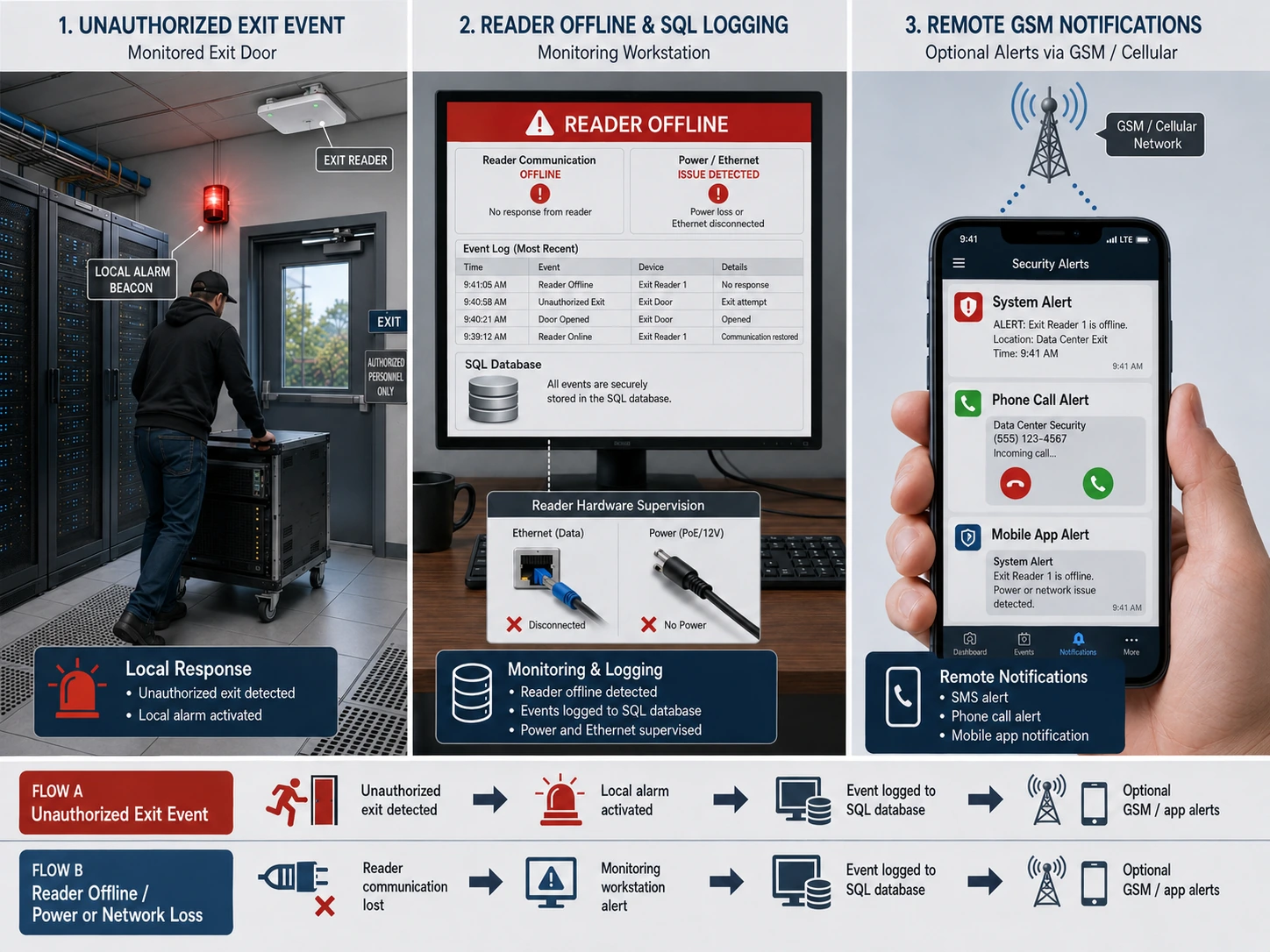
A compatible directional overhead exit reader can detect protected equipment crossing a monitored exit and activate a connected siren, strobe or compatible security input through its local output. Basic local exit protection can operate without waiting for a command from the central PC or SQL database.
Record When a Reader Goes Offline
The software supervises communication with connected readers. An Ethernet interruption or loss of reader power produces a reader-offline condition at the workstation and a Microsoft SQL Server event record identifying the affected reader, location and time.
The offline event flags a monitoring interruption for investigation; it does not by itself establish whether the cause was a power fault, cable damage or deliberate interference. Workstation alerts and SQL logging require their supporting computer, database and connections to remain operational.
Optional Cellular Notifications
The GSM 4G / WiFi alarm kit can add SMS, telephone-call and mobile-app notifications to compatible F-930 alarm configurations. Cellular notification provides an additional path when the local network is unavailable, provided the necessary reader, alarm equipment, power and SIM service remain operational.
Connections affecting controlled doors or security vestibules must be coordinated with the facility’s access-control and emergency-egress requirements.
IT Asset Tracking Software with Windows, SQL Records and Enterprise Integration
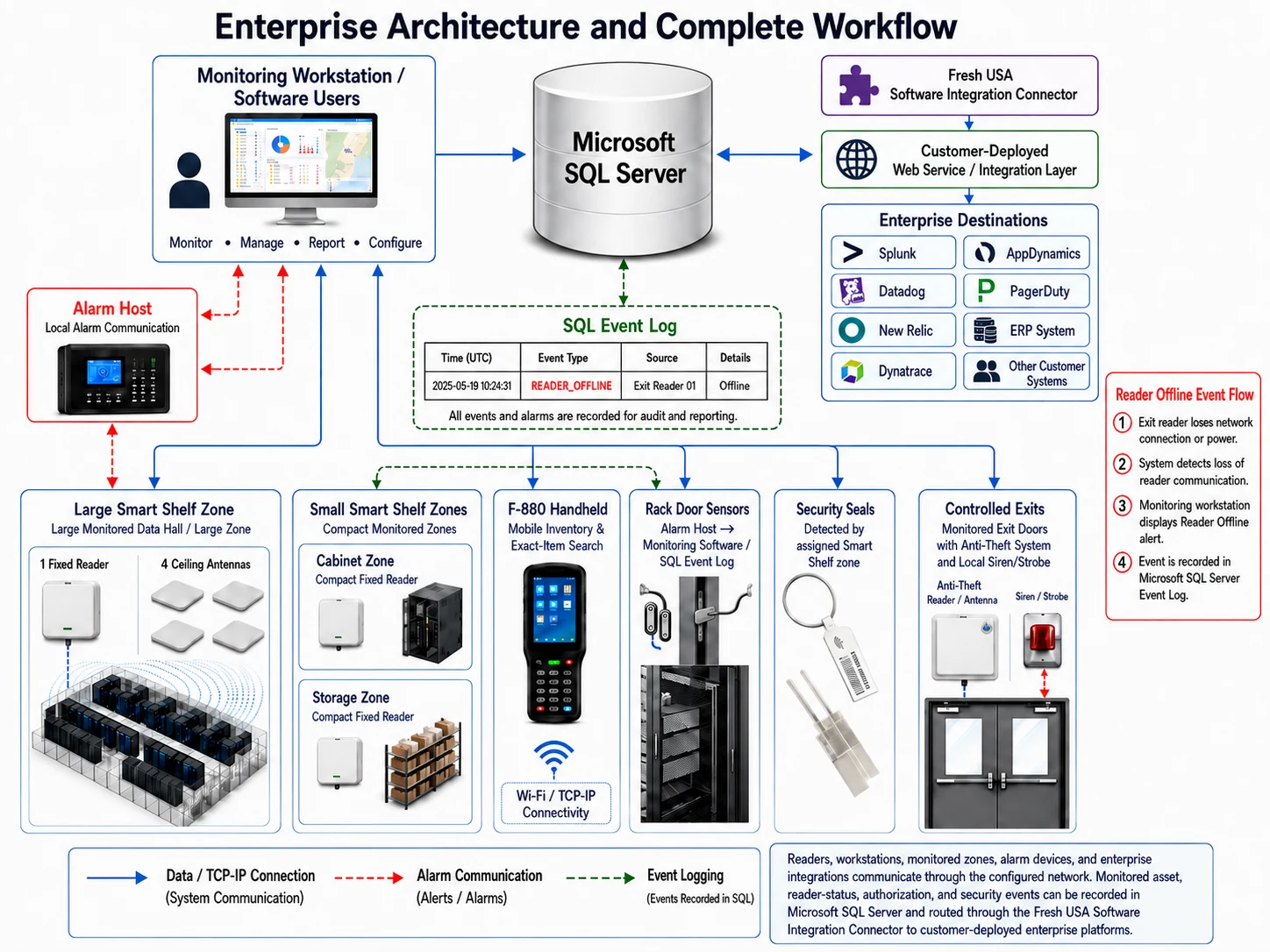
Fresh USA IT asset tracking software runs on Windows and uses Microsoft SQL Server for asset records, locations, transactions, users, reader status and security events. Manage authorized users, fixed monitoring zones, handheld inventory, checkout stations and controlled exits within the project configuration.
Event history helps teams investigate an inventory discrepancy or review equipment movement. Asset events and access permissions can also support internal audit evidence; the system does not itself certify compliance with a security framework.
Connect Physical Asset Events to Existing Applications
The Fresh USA integration connector communicates with a customer-deployed web service or integration layer. Approved inventory, location, transaction, authorization and reader-status information can be exchanged with the customer’s ERP or routed to a compatible monitoring platform.
Project-specific destinations may include Splunk, Datadog, New Relic, Dynatrace, AppDynamics or PagerDuty. Integration depends on the destination’s available interfaces and the approved scope. These are not represented as ready-made native integrations unless implemented and tested for the customer environment.
Data fields, authentication, direction of exchange and synchronization rules are defined before implementation.
Choose Your IT Asset Tracking Software Configuration
Start with the IT asset tracking function you need and expand using compatible equipment. Stand-alone exit protection is the simplest security option; mobile inventory, IT inventory management, continuous zone lists and event history use software-managed operation.
| Configuration | Best suited to | Required elements |
|---|---|---|
| Stand-alone exit protection | Local alerts for unauthorized equipment removal. | F-930 configured for stand-alone protection, suitable tags and alarm equipment. No PC-based inventory or SQL history in this mode. |
| Mobile inventory and search | Scheduled audits and locating selected tagged equipment. | Inventory software, suitable tags and F-880 handheld terminal. |
| Continuous zone monitoring | Equipment presence and disappearance in defined areas. | Software, database, compatible fixed readers, antennas and suitable tags. |
| Integrated asset control | Inventory, approved removal, exception history and enterprise data exchange. | Selected monitoring and exit equipment, software, optional sensors, notifications and project-specific integration. |
IT Asset Tracking Software Pricing and Licensing
The standard Anti-Theft / Inventory Software license is $299 for one Windows computer and includes one compatible connected Fresh USA reader license. It is a lifetime license without a required monthly software subscription.
The license is tied to the licensed computer; moving the software to another computer requires a new license.
Evaluate the software before purchase. Request a demo version of our IT asset tracking software to explore the interface and discuss the functions your team needs.
View software information and downloads.
Readers, tags, additional licenses, installation and custom integration are priced separately. The complete data center configuration and required functions are confirmed in the project quotation. Optional cellular notifications require an active SIM service.
Use the separate configurator to select equipment and request a quotation. For a tailored recommendation, send your asset quantity, equipment types, rack or room layout, monitored exits and required inventory workflow.
Request an IT Asset Tracking Software Quote
Frequently Asked Questions
What is IT asset tracking software?
IT asset tracking software connects physical equipment records with inventory, location and movement information. Fresh USA combines those records with RFID-based detection to support inventory checks, item search, zone monitoring, checkout and return, and controlled removal in data centers and server rooms.
Can I try the software before purchasing?
Yes. A demo version is available on request. Use the Request a Software Demo button to contact Fresh USA and explain your inventory, equipment search or monitoring requirements.
Can the system track equipment that is powered off?
Yes. Suitable passive UHF RFID tags are read by compatible readers without requiring the tagged server or device to be powered on or connected to the network. Detection still depends on tag placement and reader coverage.
Do I need fixed readers for inventory counts?
No. A handheld-based configuration can support mobile inventory and item search. Add fixed readers when you need ongoing presence monitoring or detection at specific checkpoints.
Does tracking show the exact rack position?
The system identifies configured detection zones. Rack-level visibility requires a reading arrangement designed and verified for that rack or cabinet. An F-880 helps an operator search within an area for a selected tagged item.
Can I keep my existing IT asset management platform?
Fresh USA can provide physical equipment monitoring alongside an existing platform. Any data exchange is scoped through the integration connector and a customer-deployed web service or integration layer.
Will the system work without a central computer?
Compatible stand-alone F-930 exit protection can activate local alarms without a central computer. Inventory management, continuous software zone lists, workstation alerts and SQL history require their supporting software infrastructure.
How should we start a data center deployment?
Define the first inventory or monitoring area and the assets it must contain. Confirm tag readability, coverage boundaries, inventory results and the required authorized and unauthorized removal responses before expanding to additional zones.
Discuss Your IT Asset Tracking Software Requirements
Tell us what equipment you need to account for, where it moves and which events require action. Fresh USA will recommend an IT asset tracking software configuration covering the software, readers, tags and workflows needed for your data center or server-room environment.
Email Your Project Requirements
For facility-wide access control, cameras and installation, see our data center physical security solutions. For inventory applications across other business environments, explore the inventory tracking system.